My Excel spreadsheet hasn't imported my segments
Last updated: October 29, 2025
When importing a screening questionnaire or demographic data via spreadsheet into CoLoop, it's important to format correctly to prevent any errors. Here are common mistakes that will result in missing segment data for participants.
Spreadsheet is formatted incorrectly or imported with errors
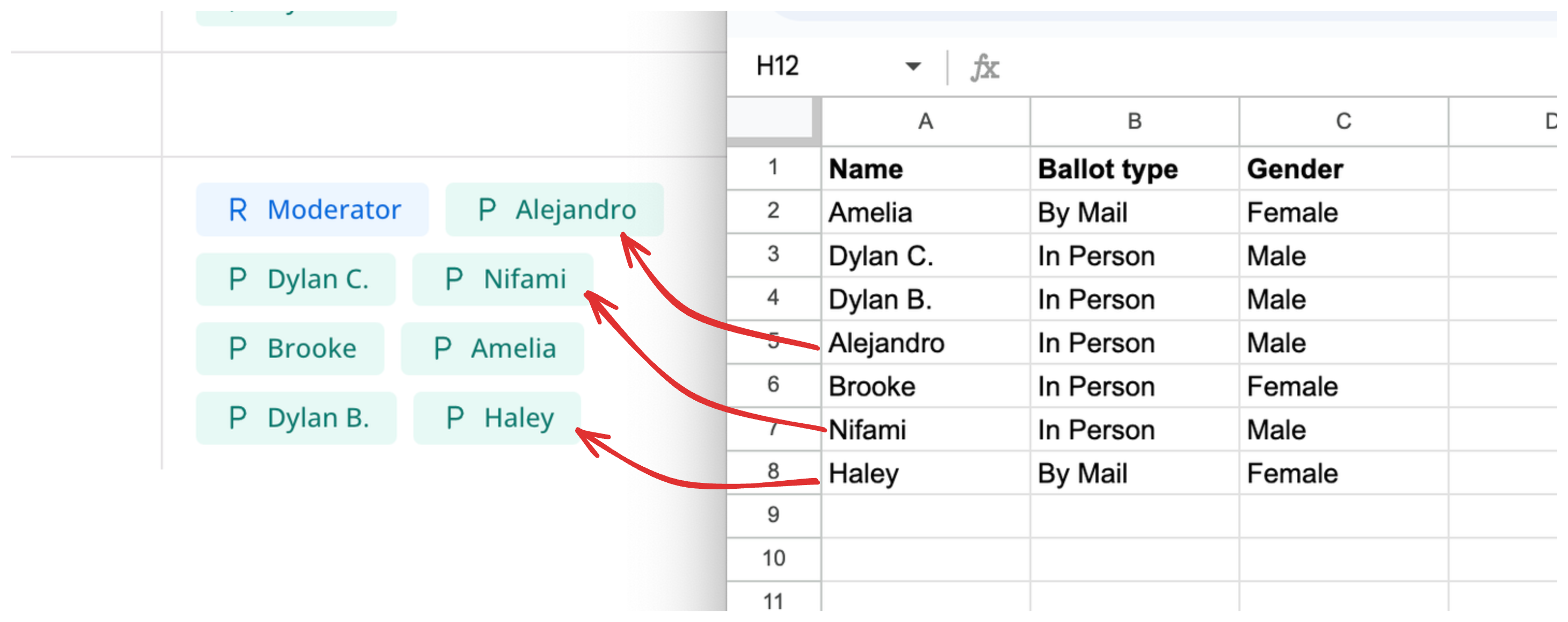
Your uploaded files must have confirmed speaker names that match the names in the spreadsheet. CoLoop is case-sensitive and any differences in spelling or special characters will result in no segment data.
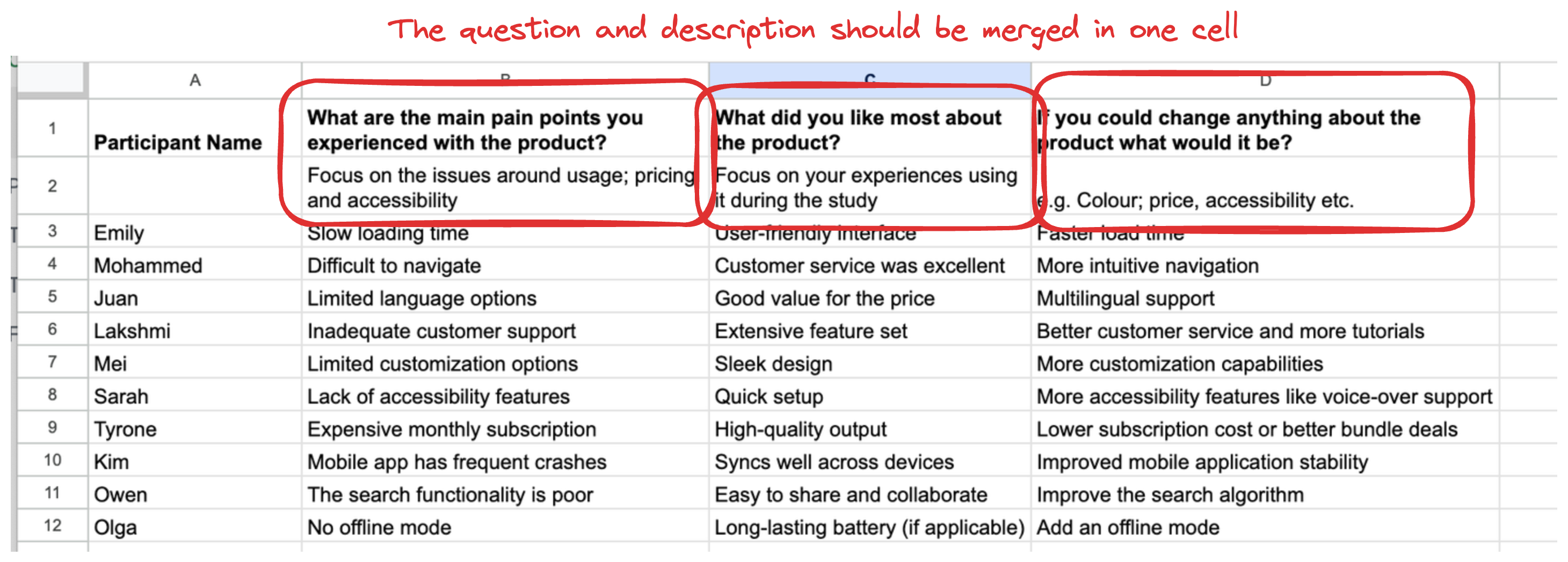
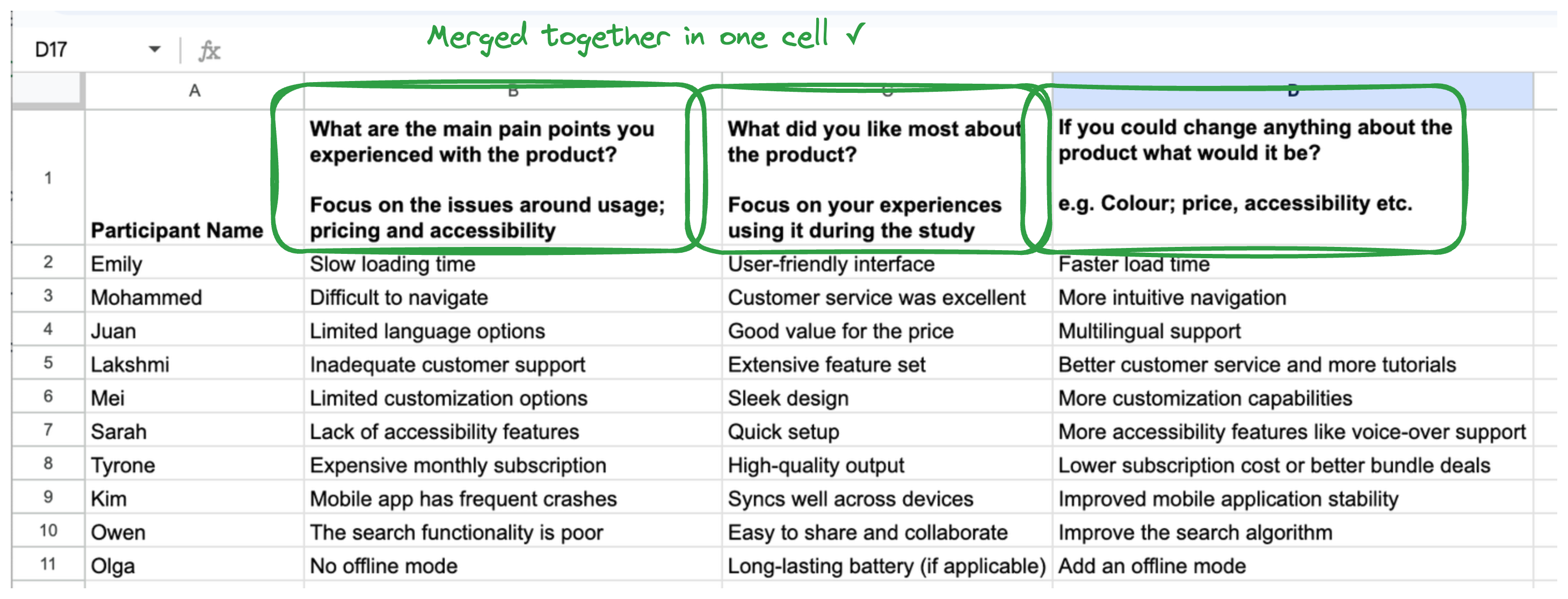
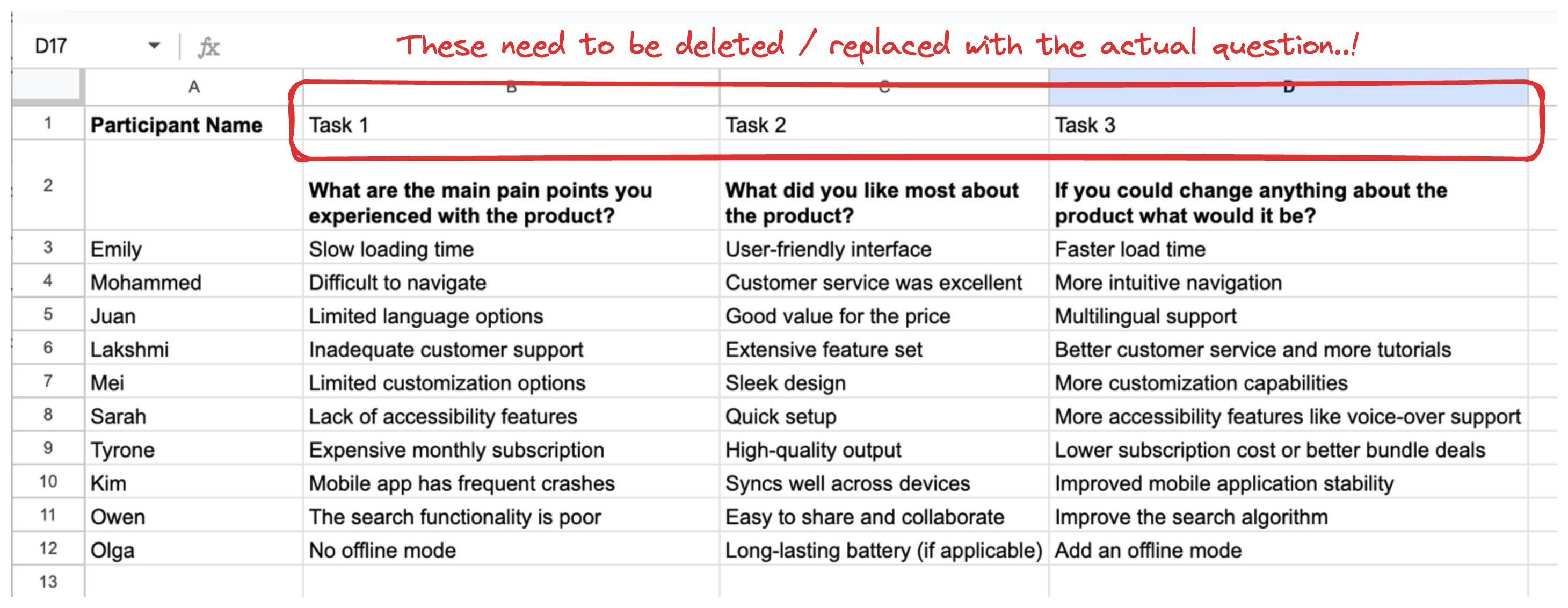
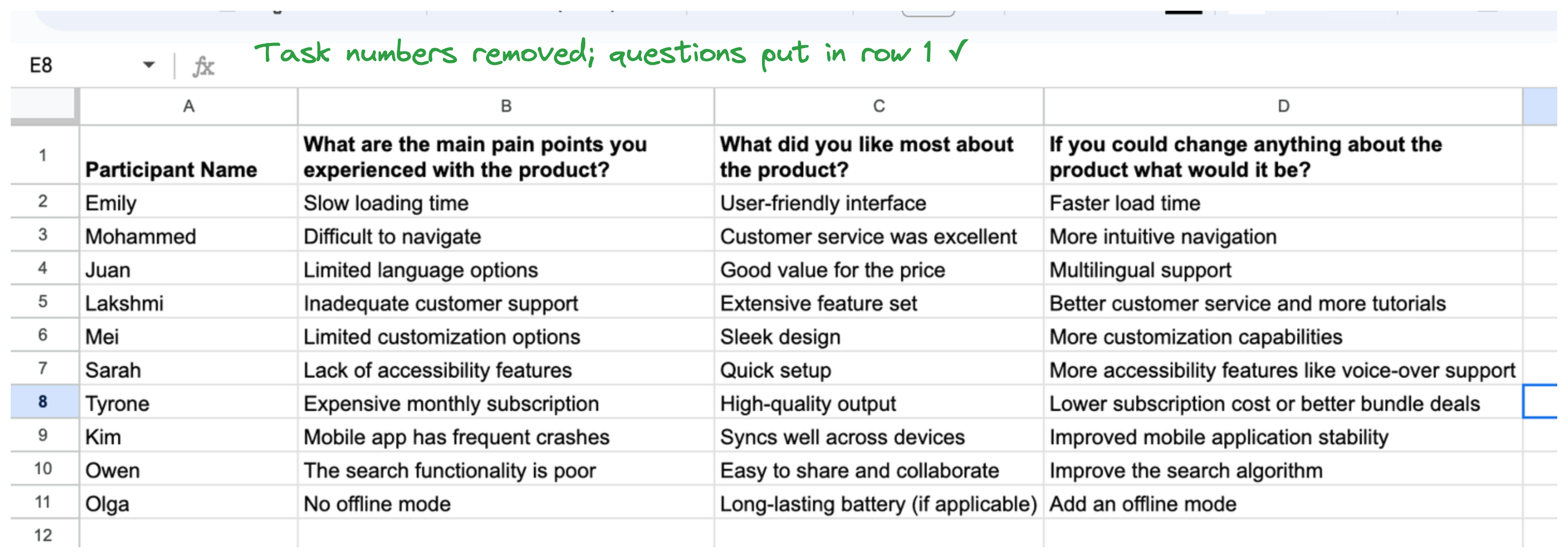
The first row in the spreadsheet must also correspond to the column titles and be followed immediately by participant responses. Any other rows or columns e.g. Task numbers need to be deleted. The task description / stimulus or question will be used for context so these need to be merged into the column header.
Task numbers in the top row
Metadata or descriptions in the spreadsheet
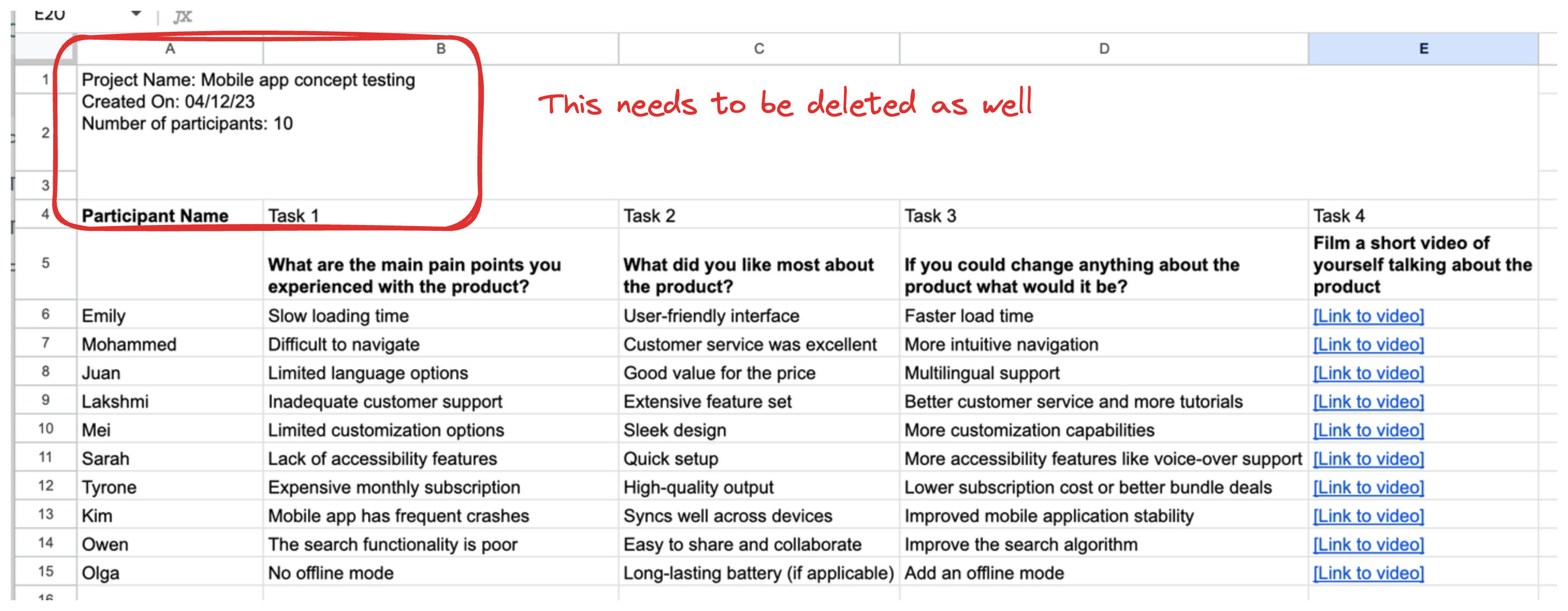

Question / prompt and its description spread across 2 rows