Zoom Sign-in Required Meetings Settings
Last updated: March 12, 2026
Some Zoom meetings are configured by the host to require participants to be signed into a Zoom account before joining. By default, the CoLoop bot cannot join these meetings as it is not authenticated as a Zoom user.
Enabling sign-in required meeting access:
Navigate to your organization's Meeting Bot Settings:
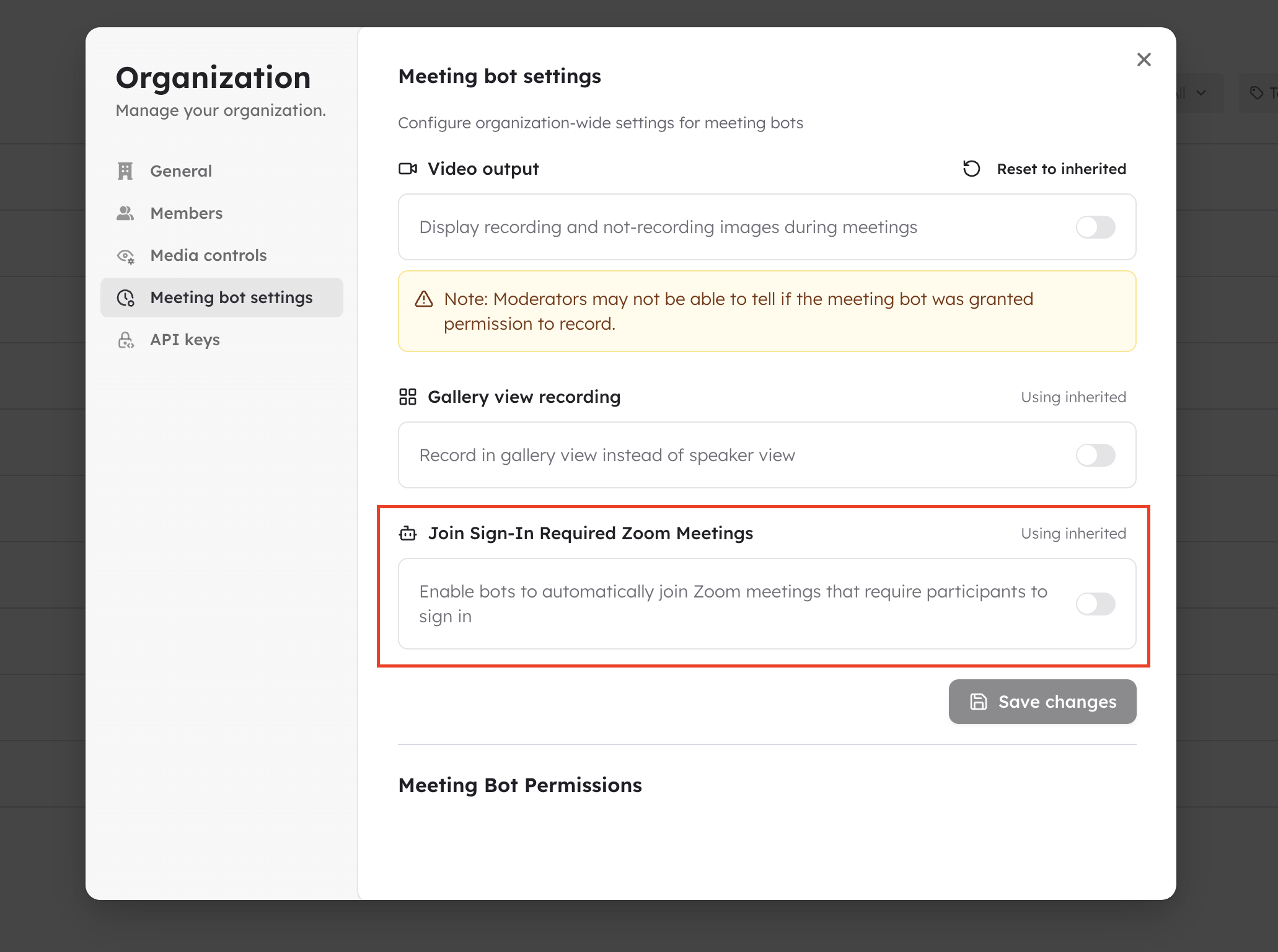
Toggle on "Enable bots to enter sign-in required meetings"
The bot will now authenticate as a signed-in Zoom user when joining these meetings
How it works:
CoLoop uses a Zoom Access Key (ZAK) token to authenticate the bot as a signed-in Zoom user
This allows the bot to satisfy the host's "only authenticated users can join" requirement
The bot still cannot bypass the Zoom waiting room - the host must admit it manually
Disable this setting by toggling off "Enable bots to enter sign-in required meetings"
Important notes:
This setting can be configured at the organization level by admins
When disabled, the bot will be rejected from any meeting that requires sign-in
Enabling this does not grant any additional recording permissions — the host still controls recording access