How do I fix errors in my transcript?
Last updated: October 27, 2025
The underlying models we use for analysis have a lot of context about your project and are quite robust to small transcription errors. Small transcription errors are expected and should have an imperceptible effect on analysis accuracy and quality.
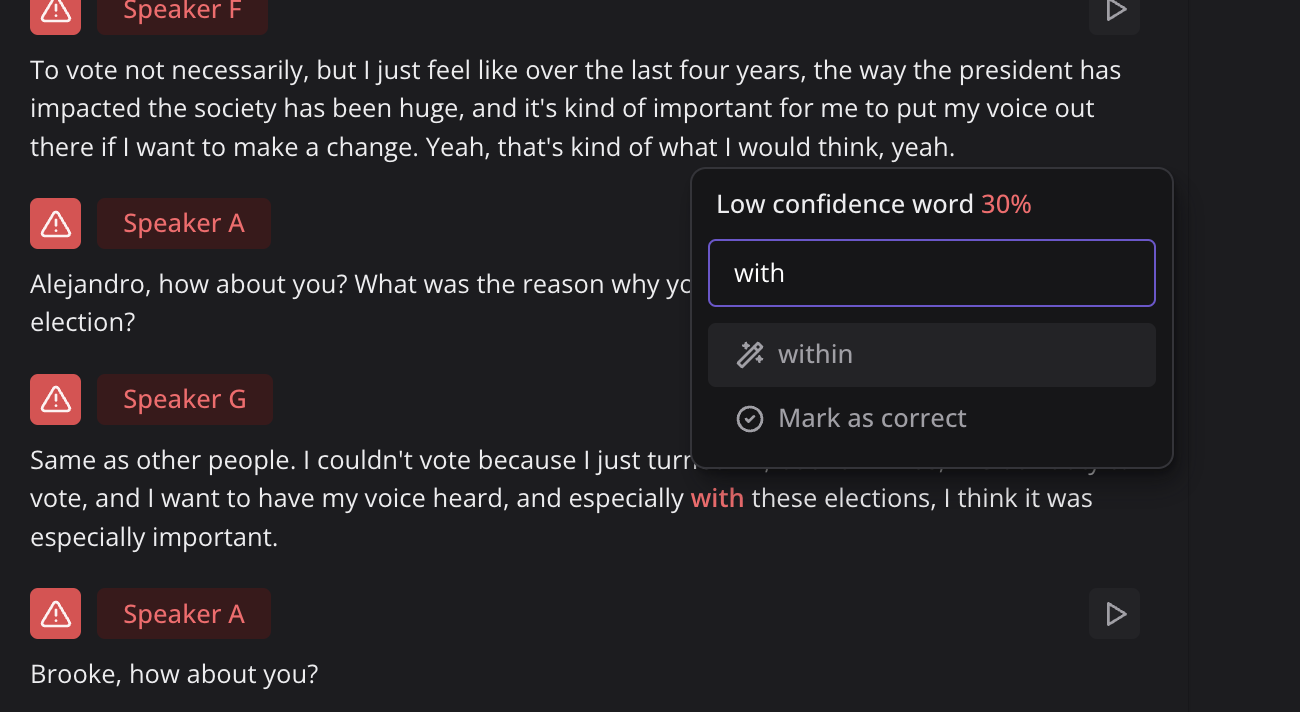
CoLoop will highlight any low confidence words in the transcript in red. Click on one of these words to correct it.
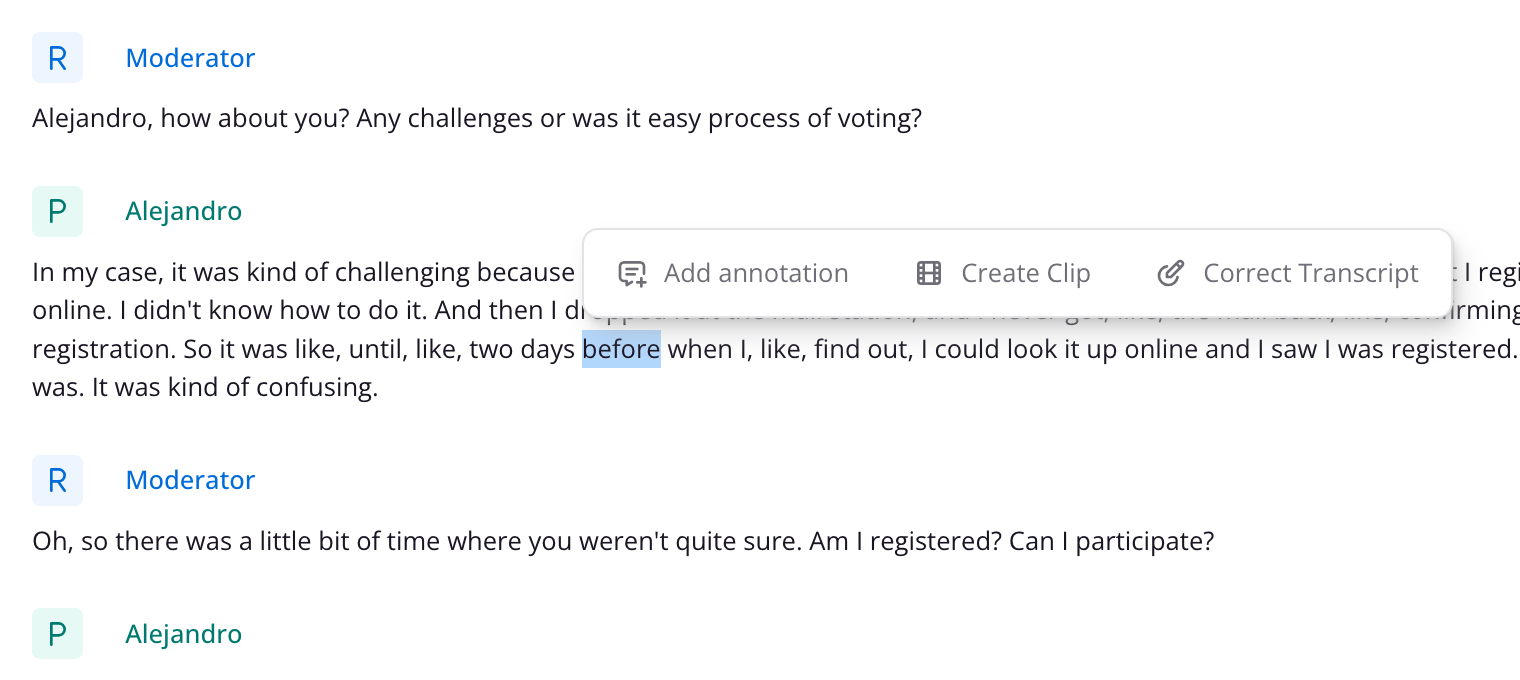
If you would like to correct a word that is not highlighted in red, simply highlight the word you'd like to correct and click 'Correct transcript'.
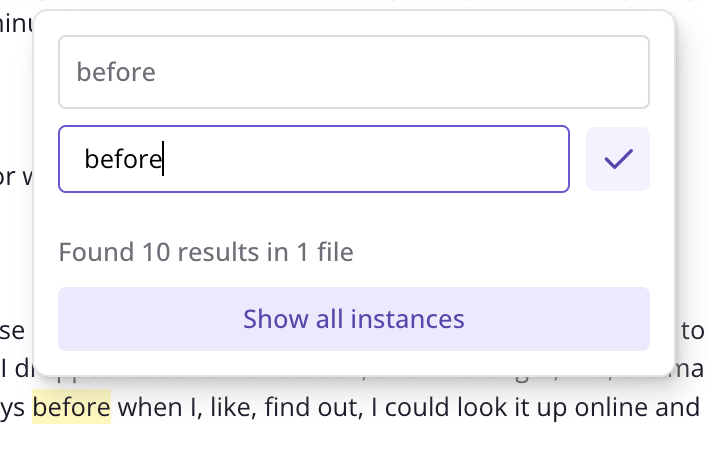
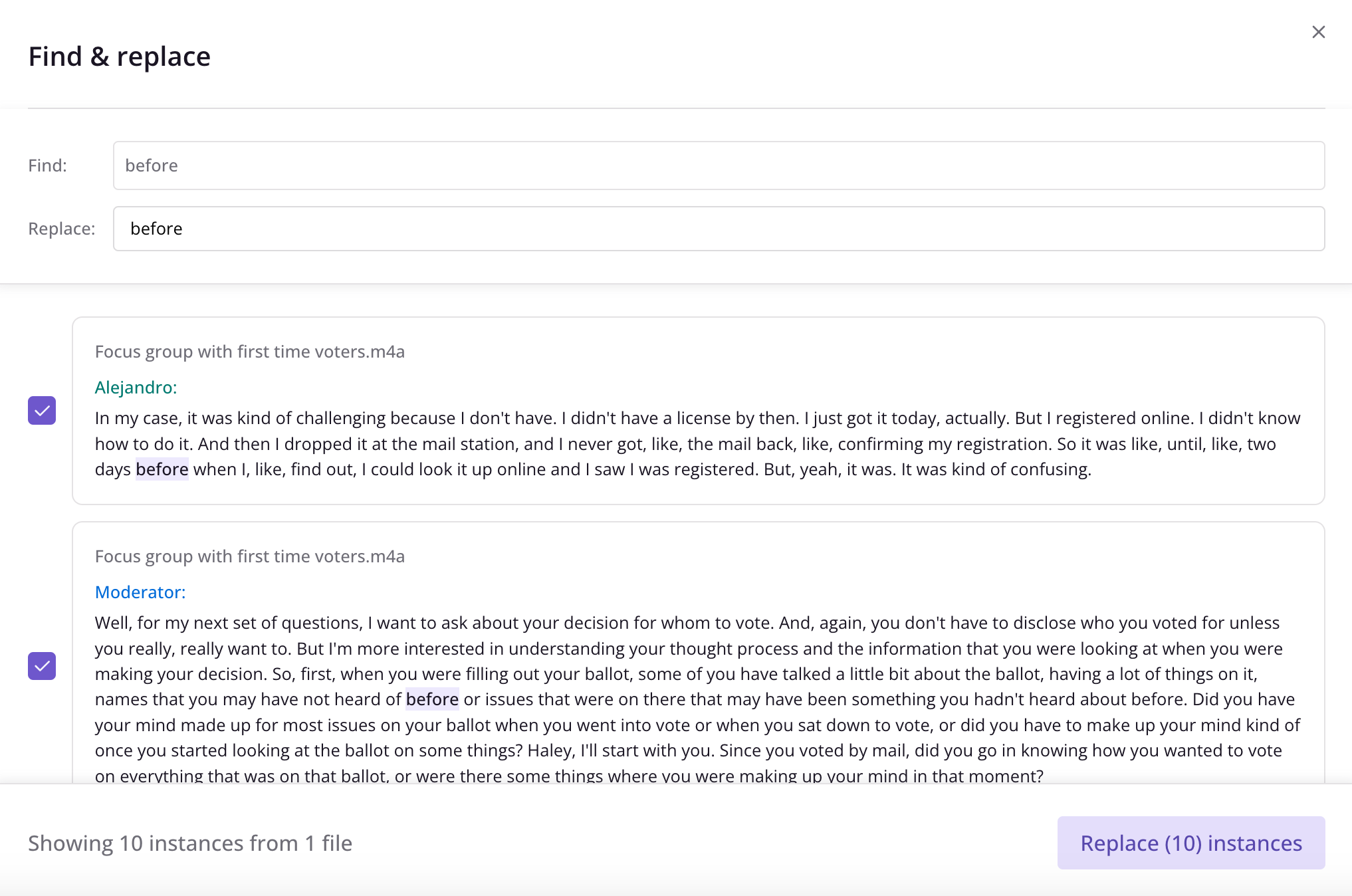
If it's a word or phrase that's spelled wrong in multiple instances across transcripts, you can click 'Show all instances' and then use our Find & Replace feature to replace all (or some) of the instances of the incorrect spelling at the same time: